Short answer: buy devices from manufacturers that publish a security update policy, secure each device’s account with a unique password and two-factor authentication, keep firmware updated automatically, put smart devices on a separate guest or IoT network, review camera and microphone privacy settings, and factory reset devices before selling or discarding them. Your router is the foundation, so secure it first.
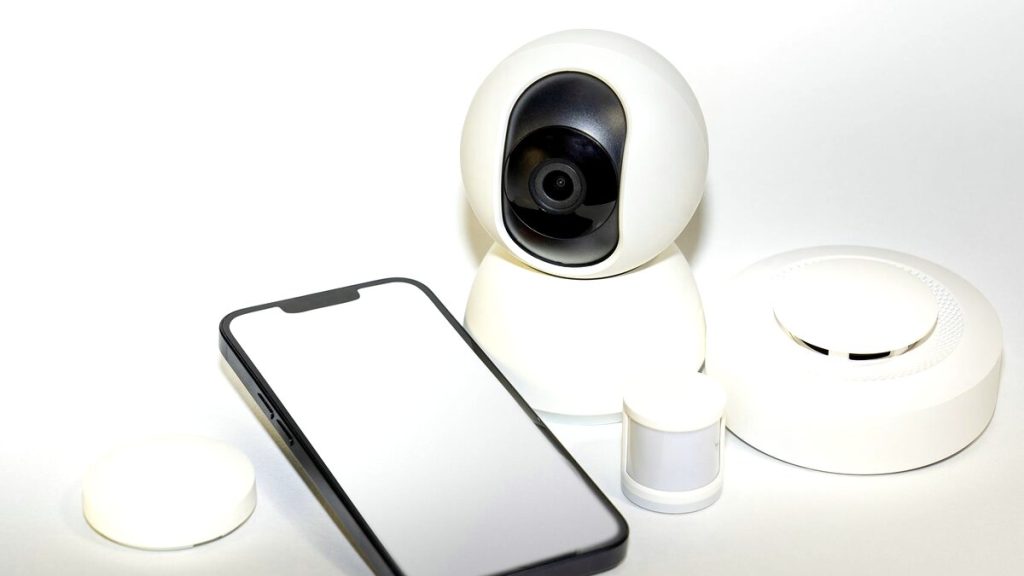
Smart cameras, doorbells, speakers, TVs, plugs, locks and robot vacuums are convenient, but each is a small internet-connected computer that may run outdated software. Compromised cameras have been used to spy on homes, and insecure IoT devices have been hijacked into botnets such as Mirai, which launched some of the largest internet attacks on record.

Common smart home risks
| Risk | Typical cause |
|---|---|
| Account takeover of cameras and doorbells | Reused passwords, no two-factor authentication |
| Botnet infection | Default passwords, unpatched firmware |
| Privacy leaks | Cloud recordings, voice assistant data, sharing with apps |
| Network pivoting | A weak device used to reach computers on the same network |
| Abandoned devices | Manufacturer stops updates or shuts down its service |
Before you buy
- Check the update policy. Reputable brands state how long devices receive security updates. The UK’s PSTI law, in force since April 2024, requires manufacturers selling there to publish a minimum support period and ban universal default passwords. The US Cyber Trust Mark programme labels devices that meet baseline security criteria.
- Prefer devices that support two-factor authentication on their accounts.
- Consider local storage for cameras if you are uncomfortable with cloud recordings.
- Avoid unbranded, very cheap devices with no clear support.
Secure the router first
Every smart device trusts your home network. Change the router’s admin password, use WPA2 or WPA3 with a strong passphrase, update its firmware and turn off WPS and UPnP if you do not need them. See securing your home router.
Put smart devices on their own network
Many routers let you create a guest network or a dedicated IoT network. Connect cameras, TVs, speakers and plugs there, and keep laptops and phones on your main network. If a device is compromised, the attacker has a harder time reaching your computers. See how to set up a guest Wi-Fi network.
Lock down each device
- Change default passwords on the device and set a unique password for its app account.
- Turn on two-factor authentication in the manufacturer’s app.
- Enable automatic firmware updates, or check the app monthly.
- Disable features you do not use, such as remote access, UPnP or voice purchasing.
- Review shared users and remove anyone who no longer needs access, including ex-partners and former housemates.
Privacy settings for cameras and voice assistants
- Cameras: enable end-to-end encryption if offered, set privacy zones, disable recording when you are home if supported, and avoid placing indoor cameras in bedrooms or bathrooms.
- Voice assistants: review and delete voice recordings in the Alexa, Google Home or Siri settings, and use the physical microphone mute button when needed.
- Smart TVs: turn off automatic content recognition (ACR), which tracks what you watch, and limit ad personalisation.
Watch for signs of compromise
- Cameras moving or speakers talking unexpectedly.
- Unknown users or devices in the manufacturer’s app.
- Login alerts from the device’s account you did not trigger.
- Unusual network traffic or a slow network; see how to see who is connected to your Wi-Fi.
If you suspect compromise, change the account password, sign out all sessions, update firmware and factory reset the device.

Selling, giving away or discarding devices
Remove the device from your account in the app, then perform a factory reset. Otherwise, the next owner may see your camera history or Wi-Fi details, or you may still see theirs.
Frequently asked questions
Can hackers really watch me through my camera?
It happens, usually through weak or reused passwords on the camera’s account. Two-factor authentication prevents most of these cases.
Are smart speakers always listening?
They listen locally for a wake word and send audio to the cloud after it is detected, although accidental activations occur. Muting and reviewing recordings gives you control.
Do I need a separate router for smart devices?
No. A guest or IoT network on your existing router is enough for most homes.
What happens when a manufacturer stops support?
The device stops receiving security fixes and may stop working. Replace unsupported devices, especially cameras and locks.
Related: update router firmware, find hidden cameras in rentals.